Financial
Statements
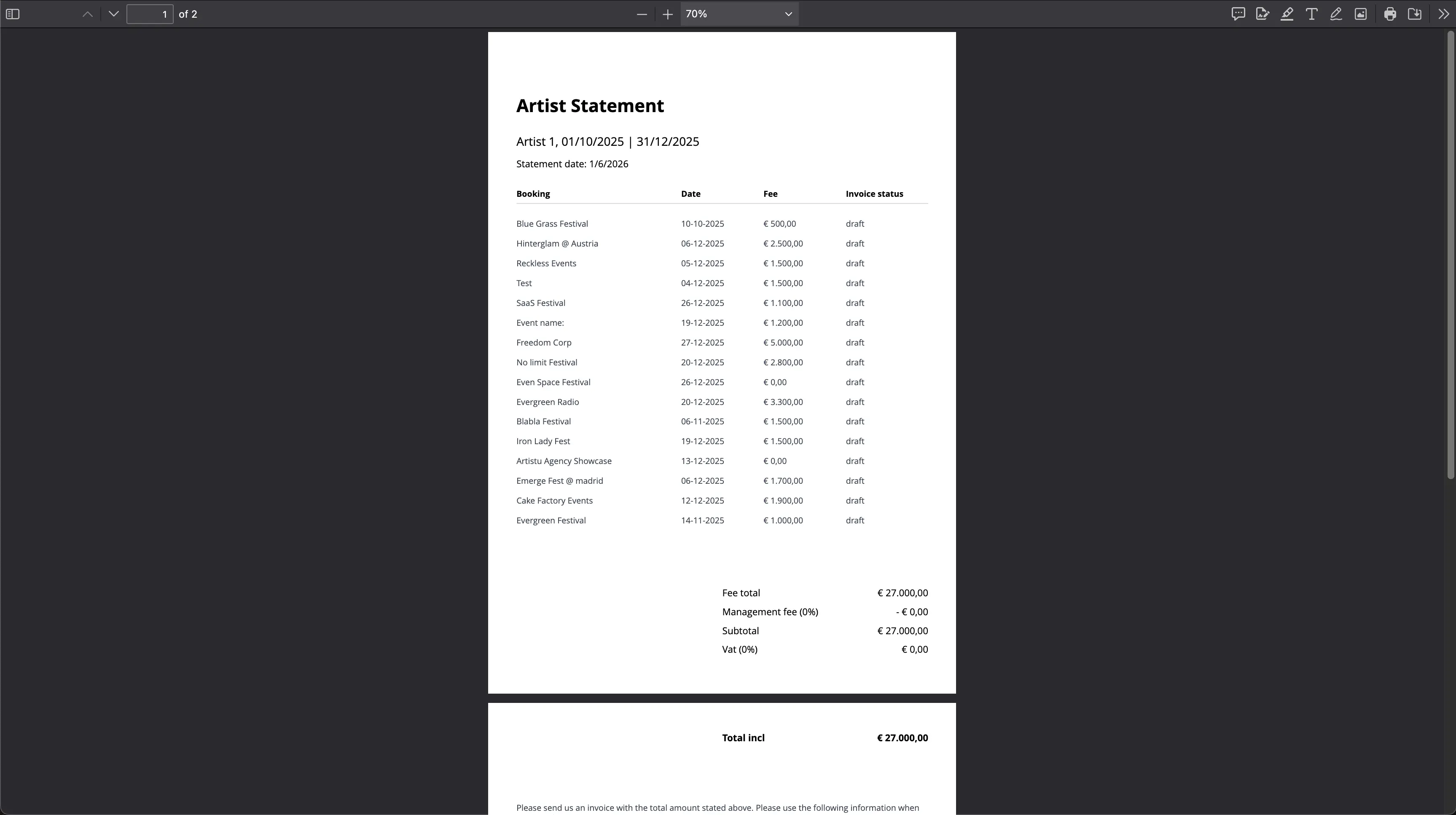
Statements provide a clear overview of what an artist is being paid. A statement shows exactly which bookings have been completed, which amounts have been collected, and what is being paid out to the artist.
What is in a statement?
A statement includes:
- Which bookings are included in the calculation.
- The performance fee(s) per booking.
- Totals to be paid out to the artist.
- The total amount received by the agency.
How to create a statement
Creating a statement is straightforward:
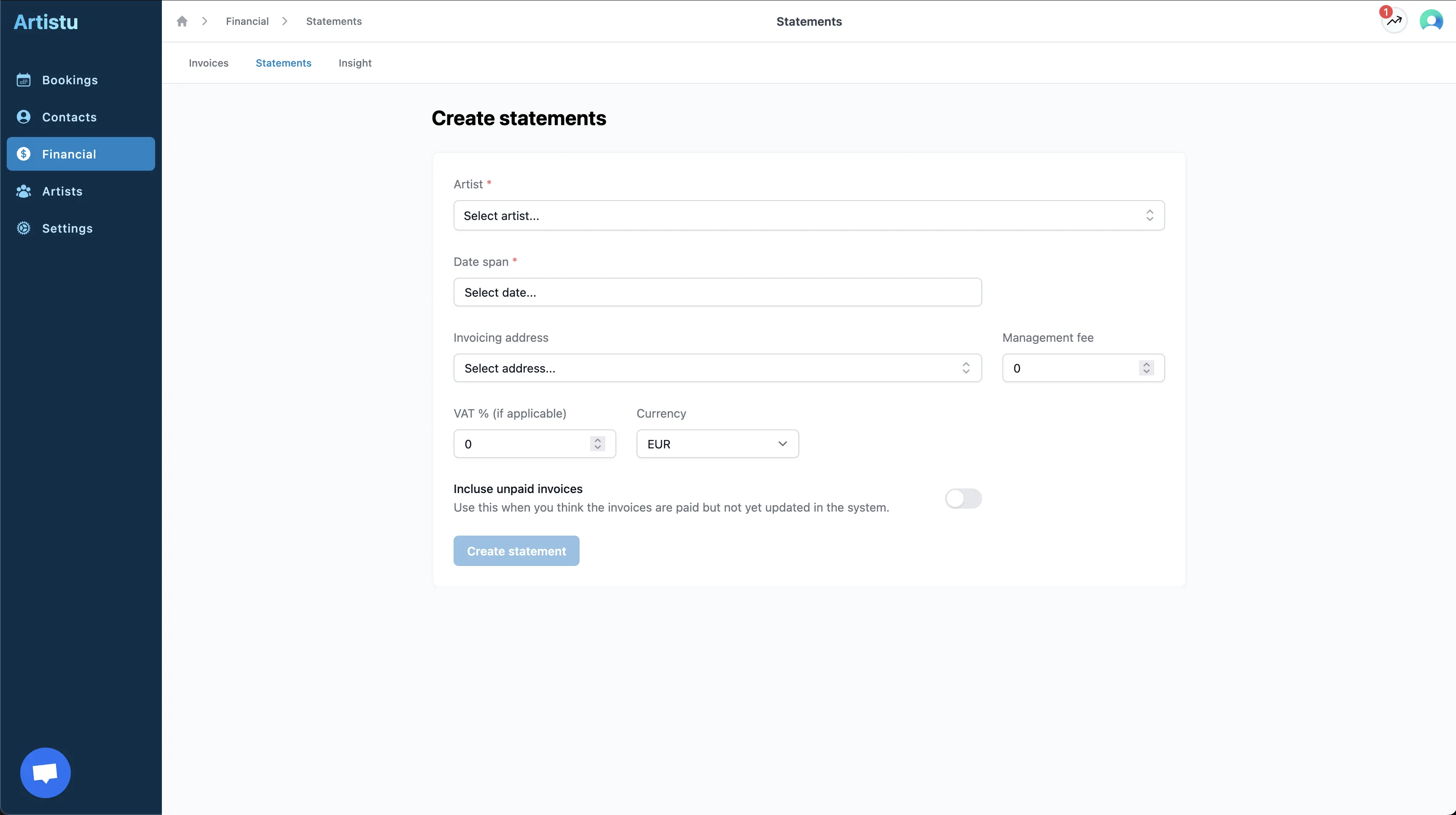
- Navigate to Financial.
- Open Statements.
- Click on Create statement.
- Select the Artist and the Period.
- Check the amounts and save.
Result
Once saved, the statement is created and stored in your dashboard. Statements can be downloaded and shared, ensuring artists always have a clear understanding of their finances.
Which invoices count
A statement counts paid invoices. Turn Paid invoices only off to count sent invoices and drafts as well, so a month that has not been invoiced yet still shows its amounts. Voided and credited invoices never count, so a credited invoice and its credit note cancel each other out.