Financial
From offer to payout: a worked example
The other financial articles explain each part on its own. This one does the whole job once, in the order you do it in real life: a promoter sends an offer, you negotiate, sign, invoice, pay the costs and pay the artist. At the end we check where every euro went.
The booking: Warehouse Collective in Utrecht wants DJ Mosa on Thursday 10 December. They offer €2,000.
1. The offer comes in
The promoter filled in your offer form, so the offer lands in Calendar > Offers, in the Inquiry column:
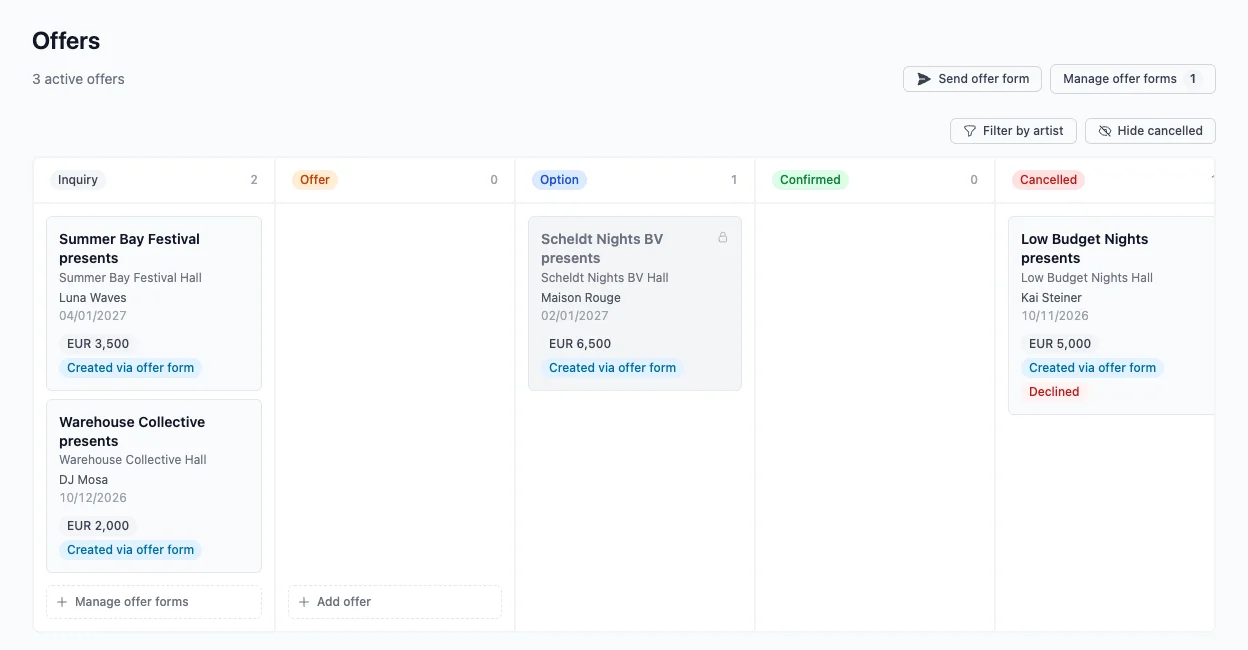
Click the offer to open it. You see the date, the venue, the contact and the fee the promoter offered.
2. Negotiate
€2,000 is too low for a headline slot. Click Counter, write your terms in Notes and click Send counter. The promoter gets your note by email, and it shows under Activity on the offer:
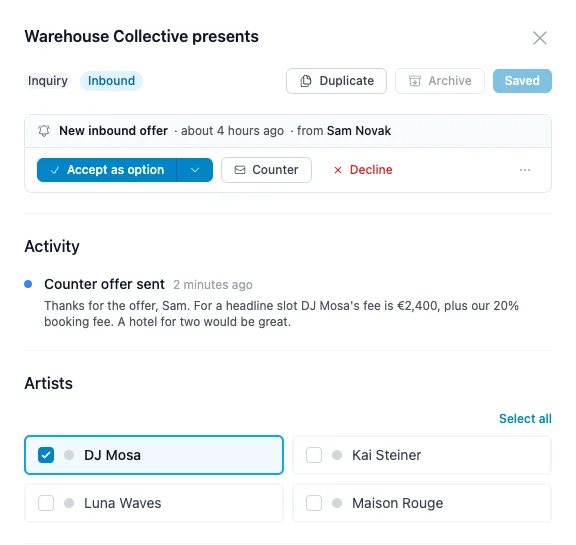
Sam from Warehouse Collective agrees to €2,400 plus the 20% booking fee, with a hotel for two. Change the artist fee under Deal to 2,400 and click Save changes.
3. Accept the offer
Click Accept as option. Artistu creates the booking with the status Option, links the promoter and copies the fee from the offer, and emails the promoter a confirmation. Click Open booking.
The booking now has one fee: the €2,400 artist fee. The rest of the deal you set up on the booking itself.
4. Set the deal terms
Go to the Deal tab and click Set deal terms:
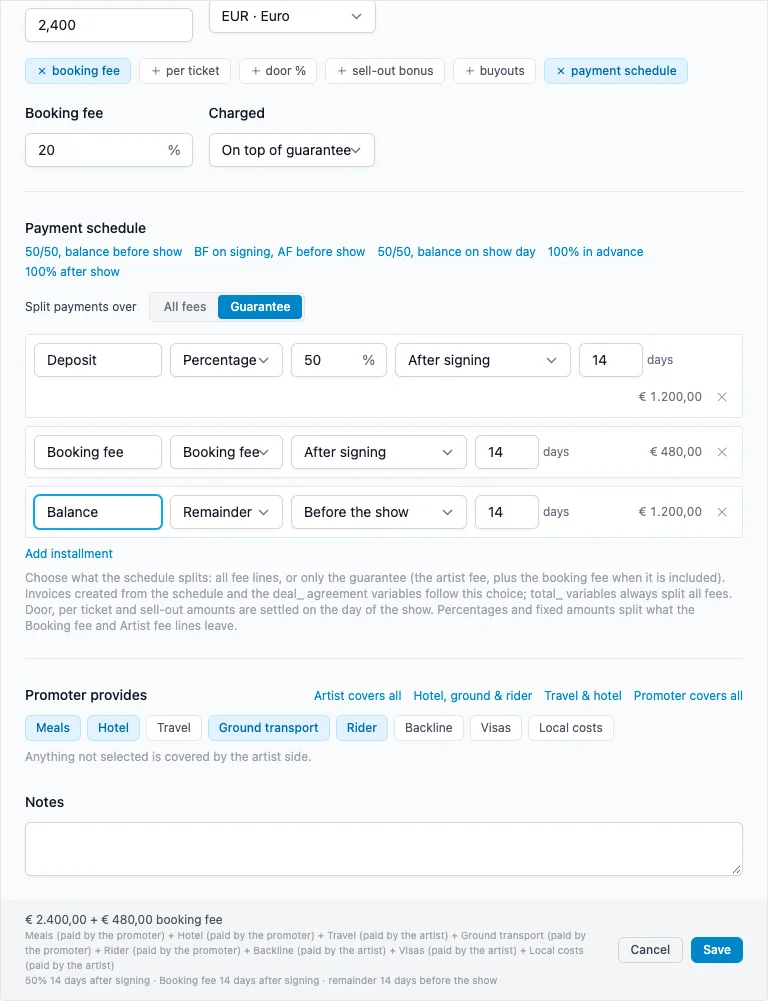
- Guarantee: 2,400.
- Booking fee: 20%, On top of guarantee. That is €480 for the agency, paid by the promoter.
- Payment schedule: a Deposit of 50% and the Booking fee, both 14 days after signing, and the Balance as the remainder, 14 days before the show.
- Promoter provides: Meals, Hotel, Ground transport and the Rider. The train to Utrecht is for the artist side.
Click Save, then Apply to deal. The booking now has two fees:
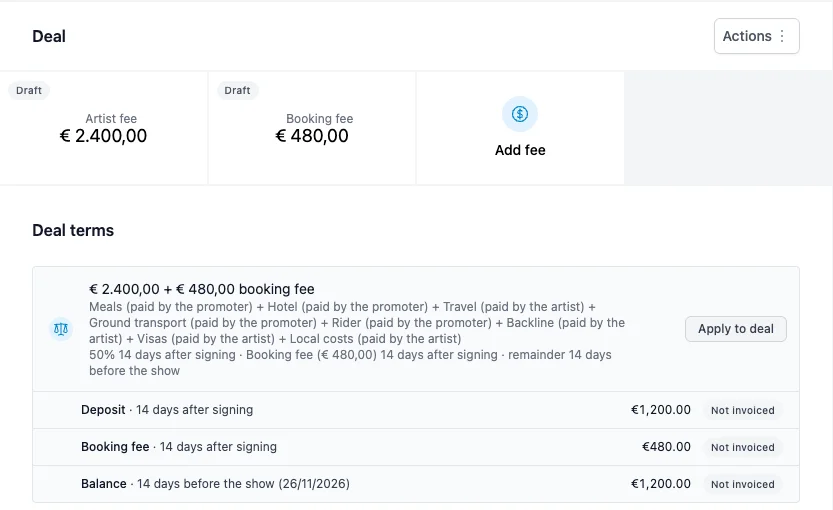
| Payment | When | Amount |
|---|---|---|
| Deposit | 14 days after signing | €1,200 |
| Booking fee | 14 days after signing | €480 |
| Balance | 14 days before the show | €1,200 |
See Deal terms and payment schedule for every option.
5. Add the costs
The agency books the train for DJ Mosa and the tour manager: €64. The artist pays for their own travel, so the cost comes out of the artist fee. Under Costs, click Add cost:
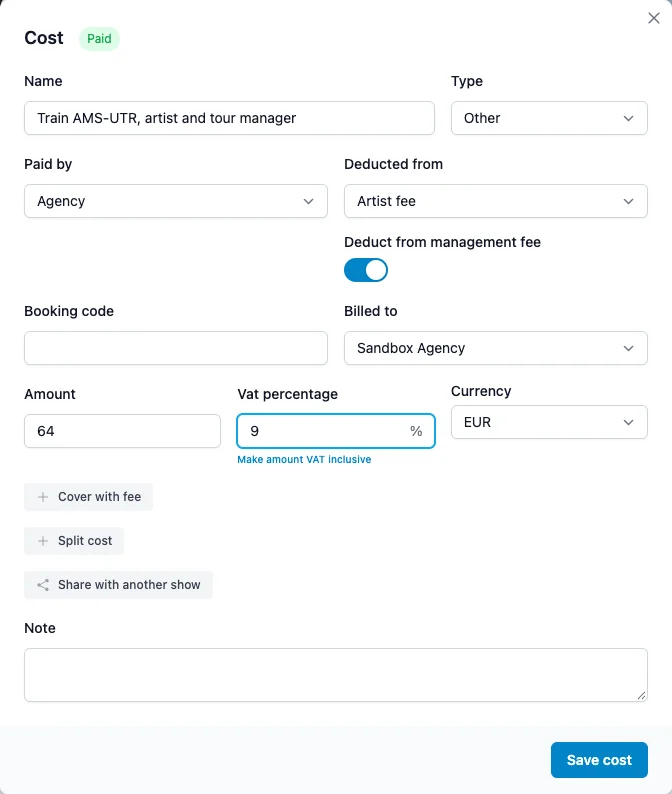
- Name: Train AMS-UTR, artist and tour manager. Type: Other.
- Paid by: Agency. Deducted from: Artist fee.
- Deduct from management fee stays on, so the management fee is calculated on the fee after the train.
- Amount 64, Vat percentage 9.
Click Save cost. See Costs for splitting, covering and sharing costs.
6. Send the agreement
Before you create the agreement, check that the promoter's company has an invoice address. The agreement and the invoices print it. Here it was missing, so we clicked Edit company and added Industrieweg 12, Utrecht, and the VAT number.
Go to the Agreements tab, click Create an agreement, check the text and click Create and e-mail:
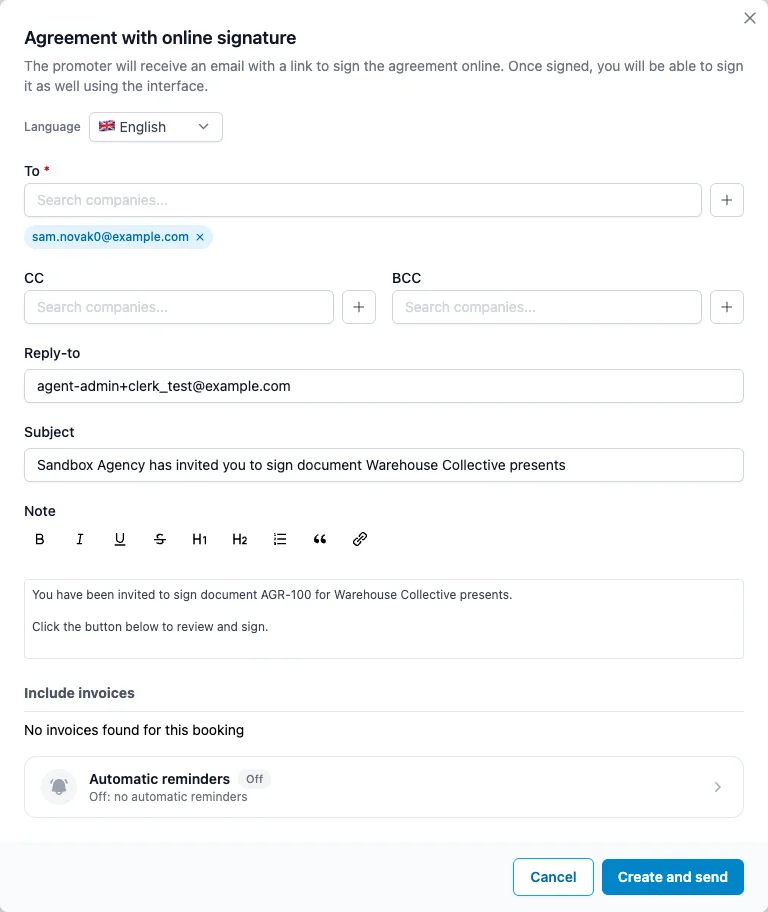
Click Create and send. Sam gets a link to sign online. Once signed, the agreement shows Signed. When a promoter signs on paper instead, click Mark as signed.
Signing does not change the booking status. Click Option at the top of the booking and choose Confirmed:
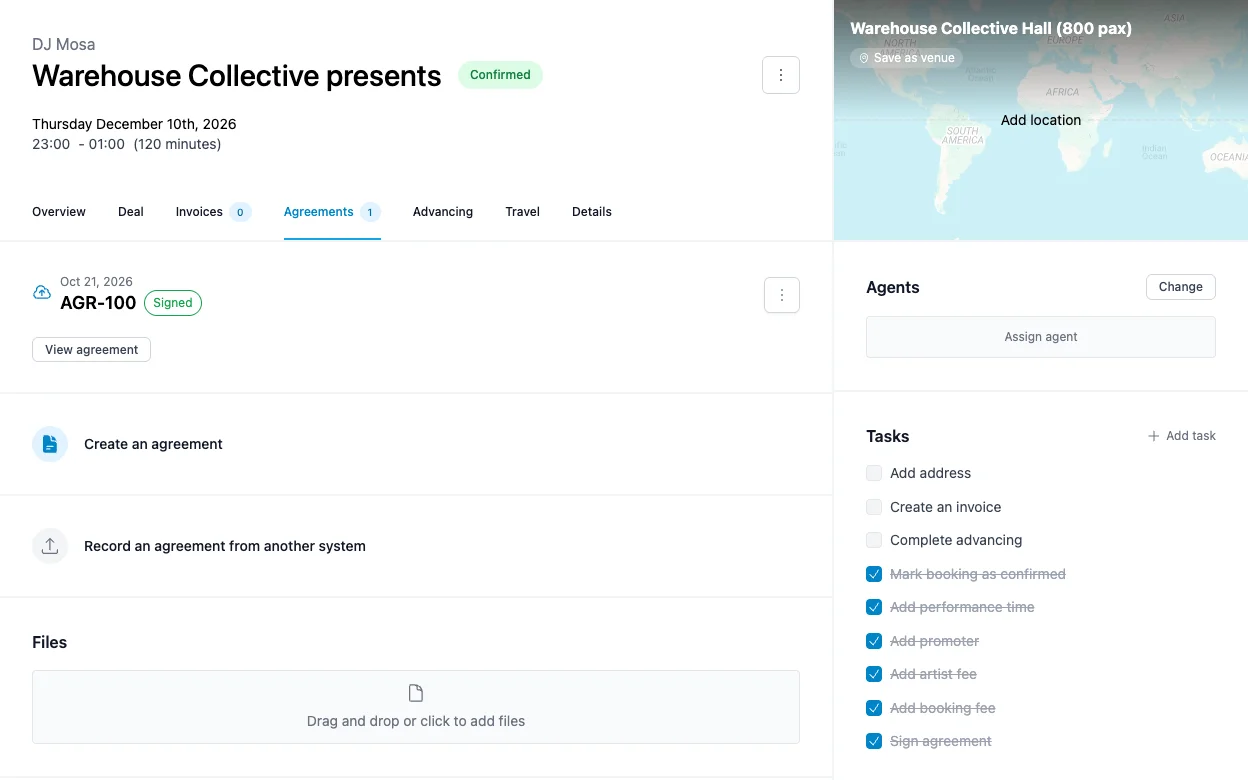
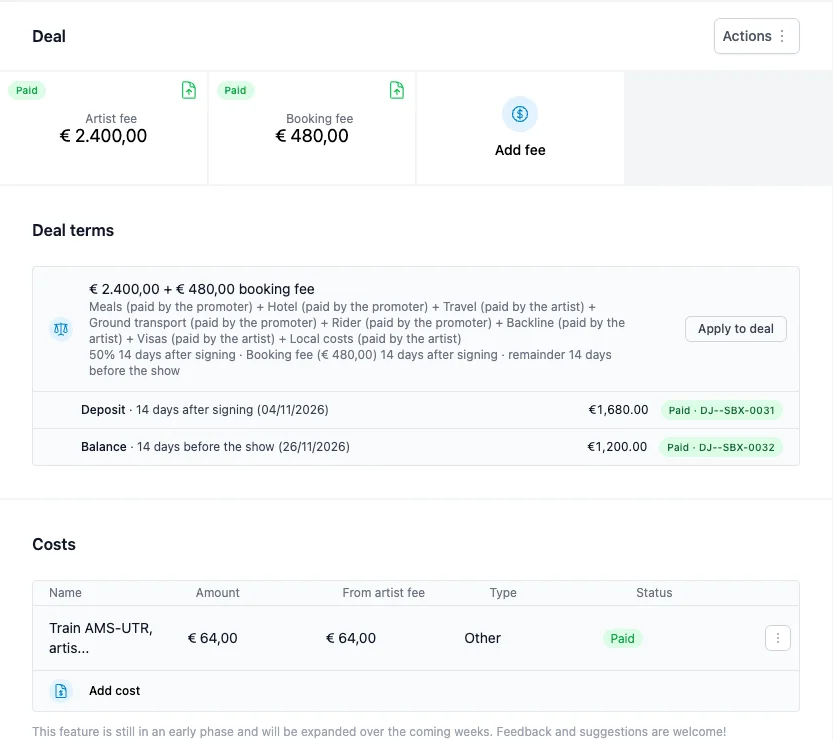
The deposit and booking fee are now due 14 days after signing: 4 November.
7. Invoice the deposit and booking fee
Go to the Invoices tab and click Create an invoice. Pick Deposit:
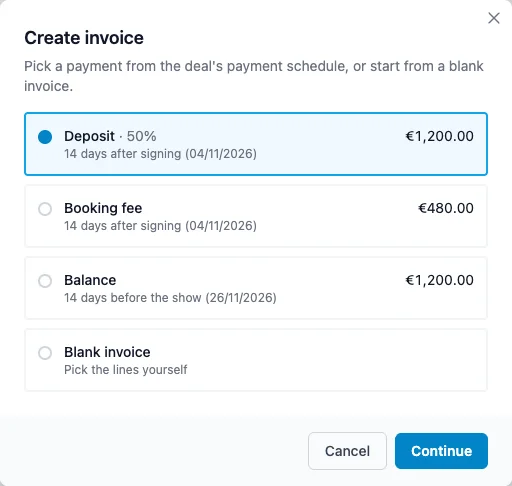
The editor opens with the artist fee line for €1,200. The booking fee is due on the same day, so put it on the same invoice: the Booking fee line is shown greyed out below, click + to add it.
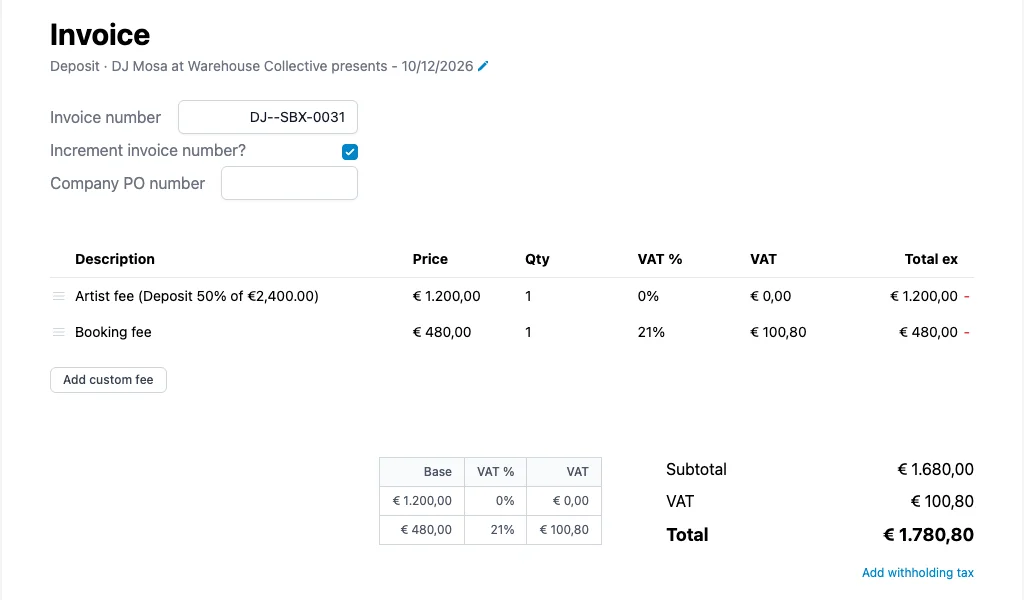
The invoice is €1,680 plus €100.80 VAT on the booking fee: €1,780.80. Click Create and send, then Send invoice.
When the money arrives, click Mark as paid. Next time you click Create an invoice, the deposit shows Paid and the booking fee Nothing left to invoice.
Mark it paid the day the money comes in
A statement only counts invoices marked as Paid. An invoice that is paid in the bank but not in Artistu leaves the artist's payout at zero.
8. Invoice the balance
On 26 November, create the second invoice the same way and pick Balance: €1,200. Send it, and mark it as paid when it comes in.
The Deal tab now shows both fees as Paid, and each payment in the schedule with its invoice:
9. Pay the artist
After the show, go to Financial > Statements. Pick DJ Mosa, December 2026 and a Management fee of 15. Select only the Utrecht show:

The row works out what DJ Mosa gets:
| Column | Amount |
|---|---|
| Artist fee | €2,400.00 |
| Deducted from artist fee | −€64.00 |
| Management fee (15%) | −€350.40 |
| Due to artist | €1,985.60 |
The management fee is 15% of €2,336, the artist fee after the train.
Transfer €1,985.60 to DJ Mosa. Then click the Payout status of the row and choose Mark as paid, and click Save statement to freeze the numbers. We named it "DJ Mosa, Utrecht 10 December". The row gets a lock, so it can never be paid twice.
Need a payout invoice from the artist, or did you pay in parts? See Statements and artist payouts.
Where every euro went
The promoter paid €2,880 without VAT. This is where it ended up:
| Who | What | Amount |
|---|---|---|
| DJ Mosa | Payout | €1,985.60 |
| Agency | Booking fee | €480.00 |
| Agency | Management fee (15%) | €350.40 |
| Agency | Train, paid back | €64.00 |
| Total | €2,880.00 |
The €100.80 VAT on the booking fee goes to the tax office. If the numbers in your own statement do not add up like this, the usual cause is an invoice that is not marked as paid, or a cost with the wrong Deducted from.
What's next
This is the last article in the financial series. Start at How money flows through Artistu for the overview, or go straight to Invoices, Costs or Statements.