Artists
Travel parties: who sees what
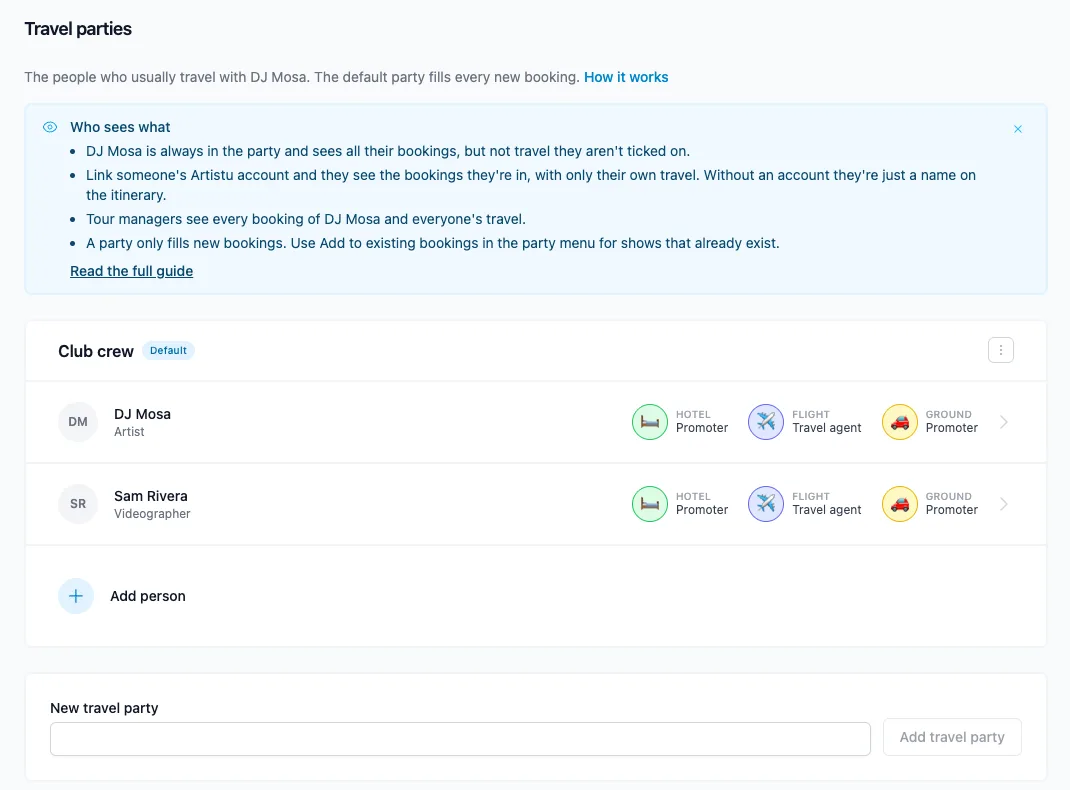
A travel party is everyone who travels to a show: the artist plus their tour manager, videographer, crew or friends. Give those people their own Artistu account and they see the shows they travel on in the portal and the mobile app, with only their own flights, hotels and drives.
Setting it up
- Invite the person. Go to Settings → Team and invite them with the Artist role. Pick the Tour manager or Crew preset and give them access to the artist they work with.
- Add them to a travel party. Open the artist and go to Travel parties. Add the person to a party and pick their account under Artistu account. The default party fills every new booking for that artist.
- Add them to existing bookings. A travel party only fills new bookings. When you link an account, Artistu asks whether to add the person to the artist's existing bookings too: upcoming only, or all of them including past shows. You can do this later from the travel party's menu with Add to existing bookings.
- Tick who is on each trip. On a flight, hotel, drive or train you can tick the Travellers. Leave it empty when the event is for everyone.
Ticking travellers on an event
Open the booking's Travel tab and add a flight, hotel, drive or train, or open an existing one. At the top of the form you see Travellers, with everyone in the booking's travel party. Tick the people on that trip. In the example below only the videographer is ticked, so the artist doesn't see this flight.
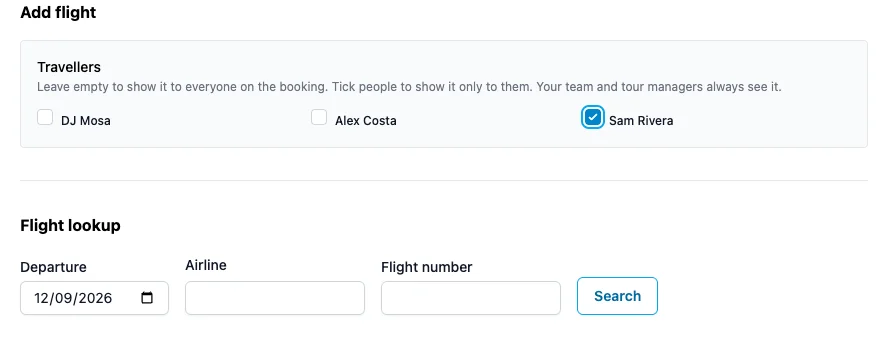
Leave every box unticked when the event is for everyone on the booking. Your team and tour managers always see every event.
Who sees what
| Who | Bookings | Travel events |
|---|---|---|
| Your team (admins, agents) | Everything their permissions allow | Everyone's |
| The artist | All of their bookings | Events for everyone, and events they are ticked on |
| Tour manager | All bookings of the artists they work with | Everyone's |
| Crew | Only bookings where they are in the travel party | Events for everyone, and events they are ticked on |
| Someone without an account | Nothing, they are only a name on the itinerary |
A few things to know:
- The artist doesn't see travel they aren't on. If the videographer flies in from another city, tick only the videographer on that flight and the artist won't see it.
- Empty travellers means everyone. An event without ticked travellers is visible to everybody who can see the booking. Older events work like this too.
- The artist is always in the travel party. They are the first person in every travel party and can't be removed.
- Fees stay private. Crew and tour managers don't see fees, costs or the deal unless you give them that permission.
- The same rules apply everywhere: the portal, the mobile app, push notifications and the calendar feed.
Changing what someone can do
The Tour manager and Crew presets are starting points. Under Settings → Team you can edit a person and turn two permissions on or off:
- Only bookings they travel on limits them to bookings where they are in the travel party.
- See everyone's travel shows them all travel events, not only their own.